
Prerequisites
Before you begin, ensure you have:
For Solana:
- A Solana wallet (such as Phantom, Solflare, or Backpack)
- Sufficient USDC on the Solana network to cover your purchase
- A small amount of SOL for transaction fees
For Ethereum:
- An Ethereum wallet (such as MetaMask, Coinbase Wallet, or Rainbow)
- Sufficient USDC on the Ethereum network to cover your purchase
- A small amount of ETH for gas fees
Step-by-Step Instructions
Step 1: Navigate to the Hastra Earn Page
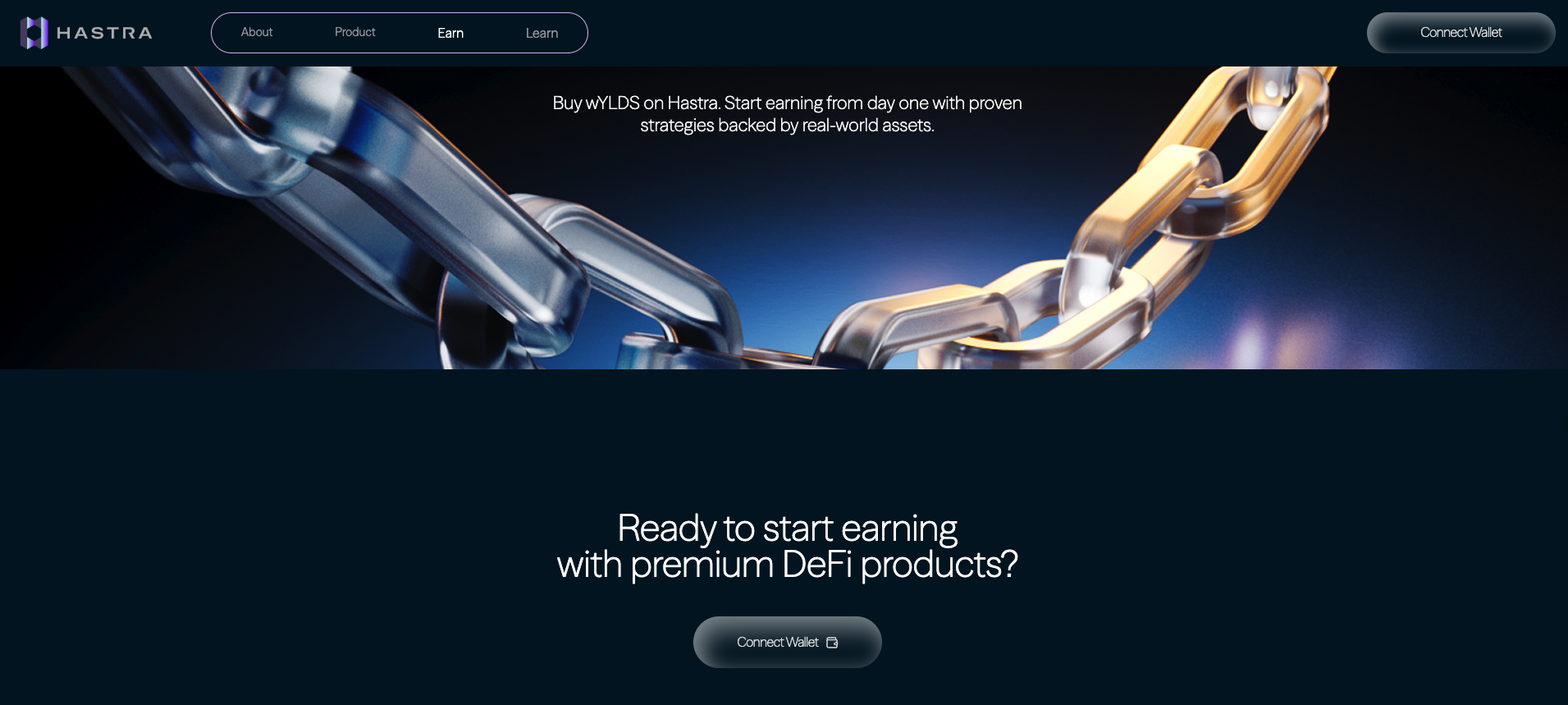
Go to https://hastra.io/earn in your web browser.
Step 2: Connect Your Solana Wallet
- Look for the "Connect Wallet" button on the page
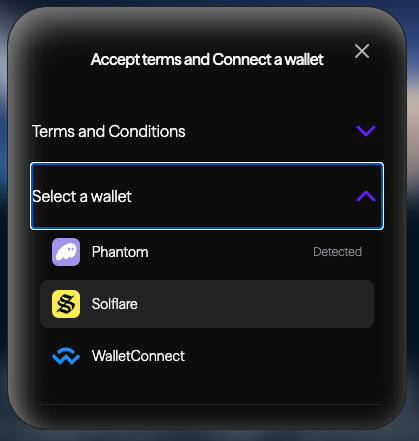
- Agree on the Terms and Conditions and then telect the wallet you want to use.
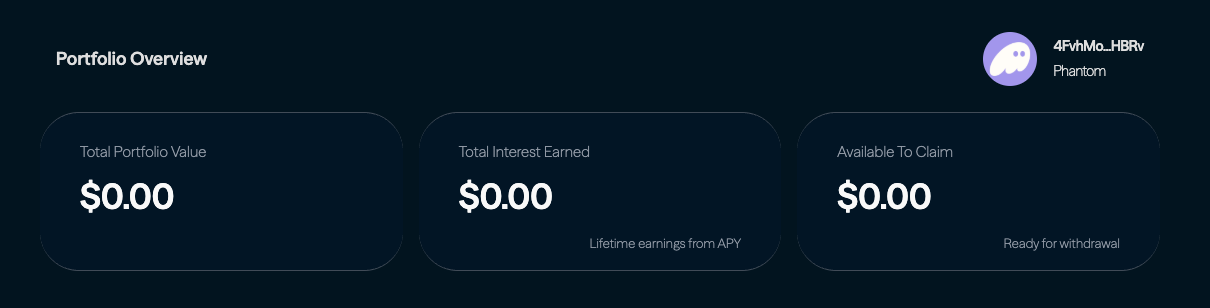
- Once connected, you should see your wallet address displayed on the interface:
Step 3: Locate the Buy Section
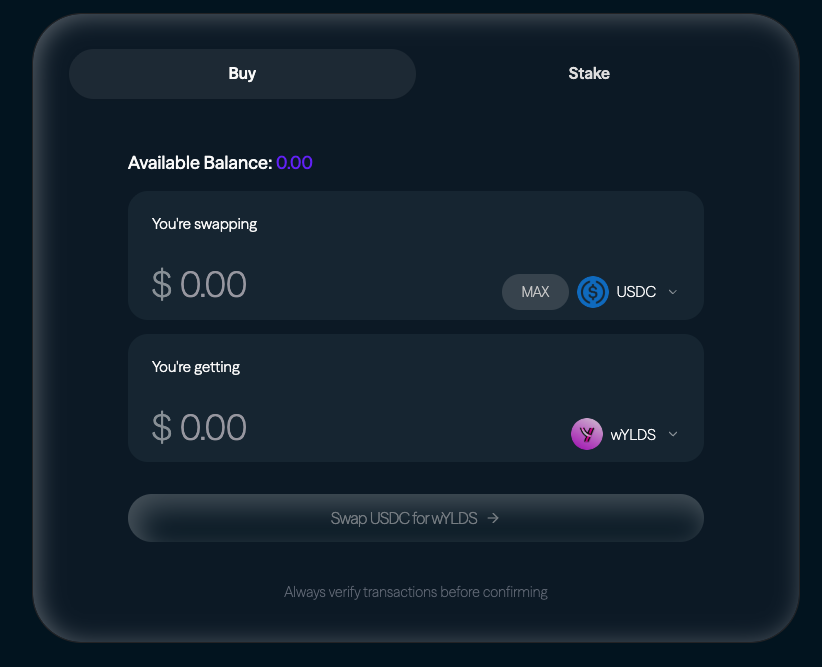
Scroll down the page until you find the "Buy" section. This area will contain the purchase interface for wYLDS tokens.
Step 4: Enter Your Purchase Amount
In the purchase field, enter the amount of wYLDS you would like to buy, always making sure that the amount you want to buy doesn’t exceed the available balance
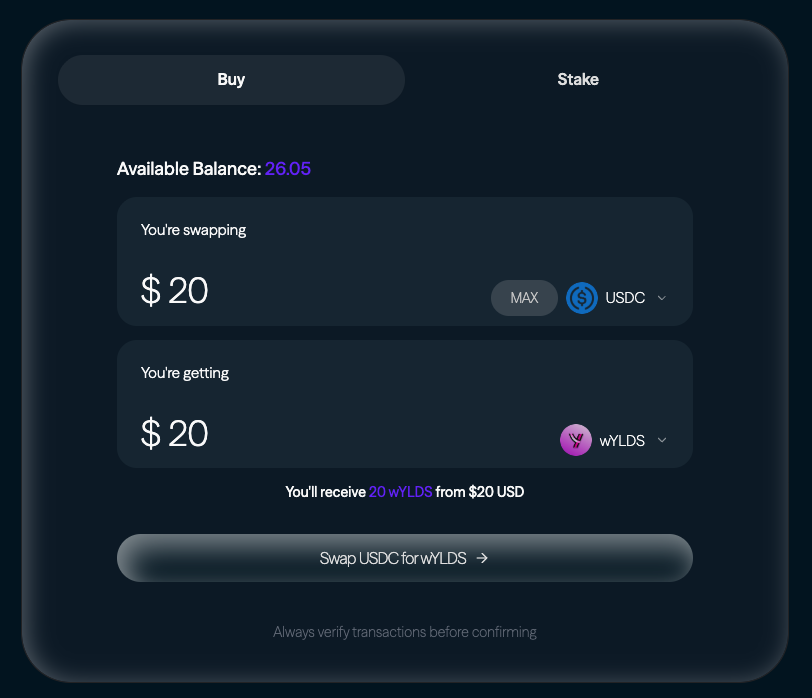
Note that USDC and wYLDS convert at a 1:1 ratio (1 USDC = 1 wYLDS). The interface will automatically calculate the USDC amount required. Ensure you have sufficient USDC in your wallet to complete the transaction
Step 5: Confirm the Transaction
- Review all transaction details carefully, including:
- The amount of wYLDS you're purchasing
- The USDC amount that will be deducted
- Any applicable fees
- Click the "Swap USDC for wYLDS" button
- Your wallet will prompt you to approve the transaction
- Review the transaction details one final time in your wallet
- Confirm the transaction in your wallet
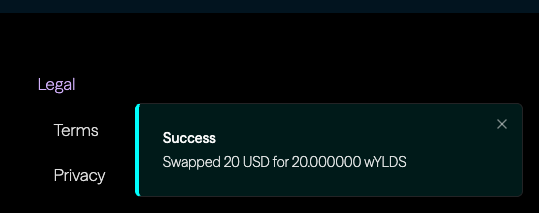
Step 6: Verify Your Purchase
After the transaction is confirmed:
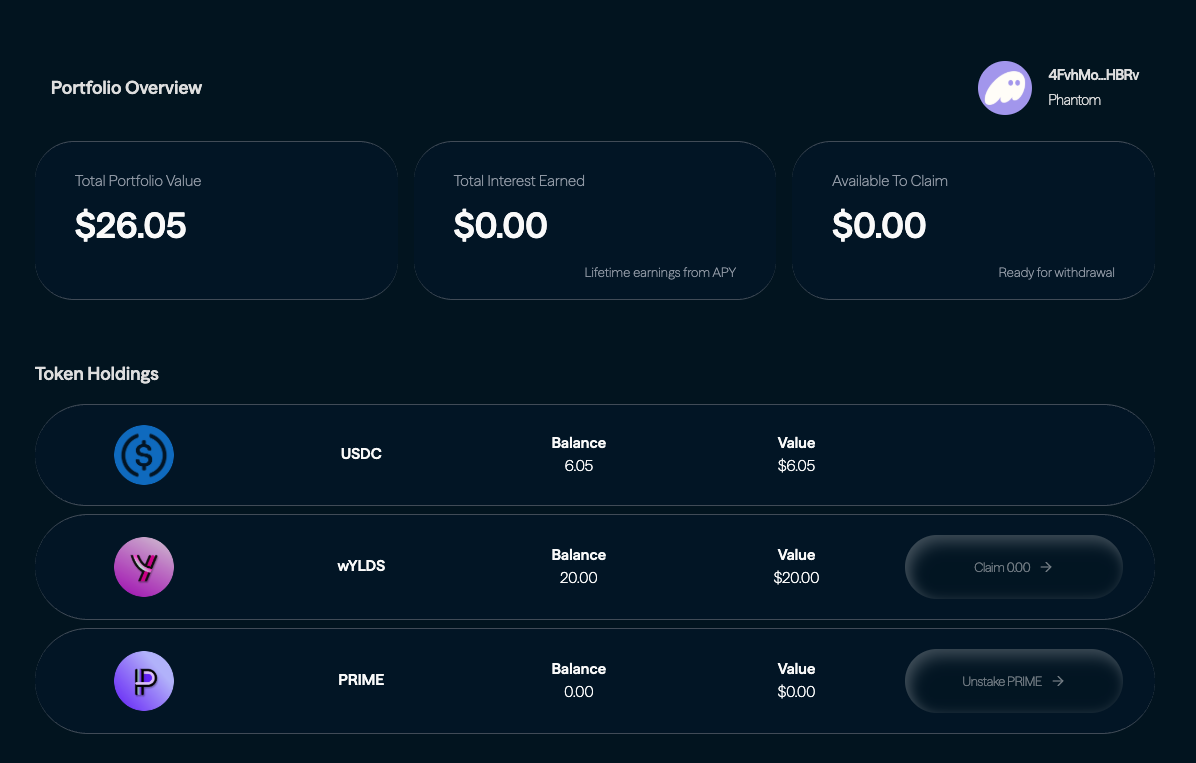
- Your USDC balance will decrease by the purchase amount
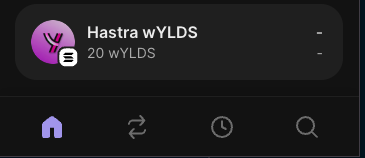
- The new wYLDS tokens will appear in your wallet
- You can verify the transaction on a Solana blockchain explorer using your transaction hash
Important Notes
USDC Requirement: You must have USDC on your selected network before attempting to purchase wYLDS. The protocol does not support other stablecoins or cryptocurrencies for direct wYLDS purchases.
Interest Tracking: Your wYLDS interest earnings will not be displayed in real-time within your wallet. To view your current balance including accrued interest, visit the Hastra Protocol Dashboard at hastra.io.
Transaction Fees:
- Solana: All transactions require a small amount of SOL for network fees. Ensure you have at least 0.001 SOL in your wallet.
- Ethereum: Gas fees vary based on network congestion. Ensure you have sufficient ETH in your wallet to cover the transaction.
Troubleshooting
If you encounter issues during the purchase process:
- Ensure your wallet has sufficient USDC and the native token for fees (SOL or ETH)
- Try refreshing the page and reconnecting your wallet
- Check that you're using a supported wallet for your chosen network
- Verify your internet connection is stable
For additional support, contact our help desk or visit our community forums.
Next Steps
Once you've successfully purchased wYLDS:
- Monitor your earnings on the Hastra Protocol Dashboard
- Consider exploring other earning opportunities within the protocol
- Keep your wallet secure and backed up
This guide was last updated for the current version of the Hastra Protocol interface. Interface elements may vary slightly with future updates.